Due Sunday, September 14, 9:59:59pm
Purpose to explore the TCP libraries of the chosen programming language;
to deliver software as specified; reflect on the language of your choice.
Delivery You must deliver xtcp, Test/, and
experience.pdf and assessment.pdf in a directory called
E in your repository. The three artifacts are specified in the
Task, Test, and Memo sections below.
All auxiliary files must be put into a sub-directory called Other.
Task Develop xtcp, a program that consumes a sequence of well-formed
JSON values from the input side of a TCP connection and delivers JSON to the
output side of a TCP connection after the input side is closed.
The program’s takes at most one command-line argument. This argument
specifies the port to which the program connects (on the default
network card). If there is no command-line argument, the program uses
the default port 4567. Also, the program waits for at most
3 seconds for a client to connect; if no client
connects, the program terminates with an error.
The program’s functionality is the same as xjson from C — JSON. You are
welcome to reuse your solution. (The ideal reuse is a call to the solution of
C — JSON; copying the code is acceptable for this exploratory programming
task.)
Hint The netcat program (abbreviated nc) is the best
way to manually send JSON information from your shell to another machine.
$ cat 1-in.json | nc 10.0.1.4 3000 |
This command connects the cat command with the nc command
via a pipe. Specifically it sends the content of the 1-in.json
file to nc, which in turn transmits it via TCP to the computer
with the IP address 10.0.1.4 at port 3000
(Note: if all of you use 3000 on the same computer, bad things will happen).
Hint The netcat program is likely not pre-installed
on modern Windows systems. Windows users may wish to visit
the nmap site
download the ncat executable, and add it to their path. Although I have now come to understand that MobaXterm comes with nc installed; that may suffice.
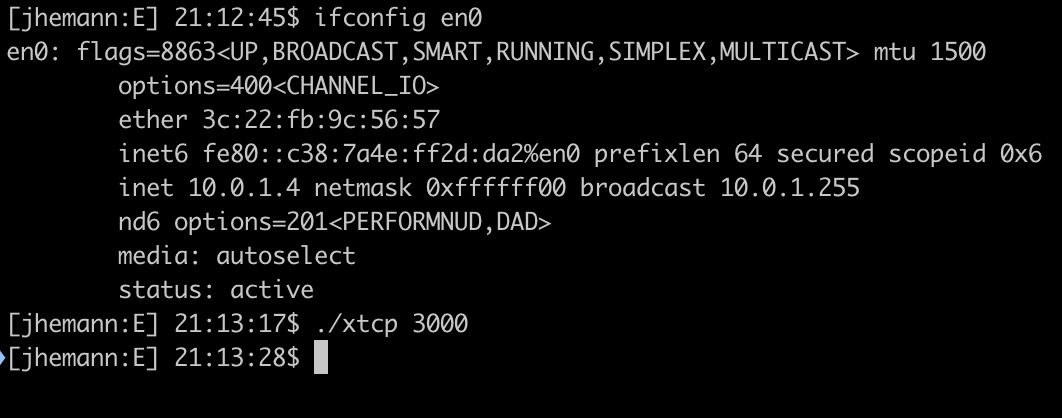
The following screen shot shows how you can launch xtcp on one machine (here my machine). I first used a command to read my internal IP address, then called xtcp.
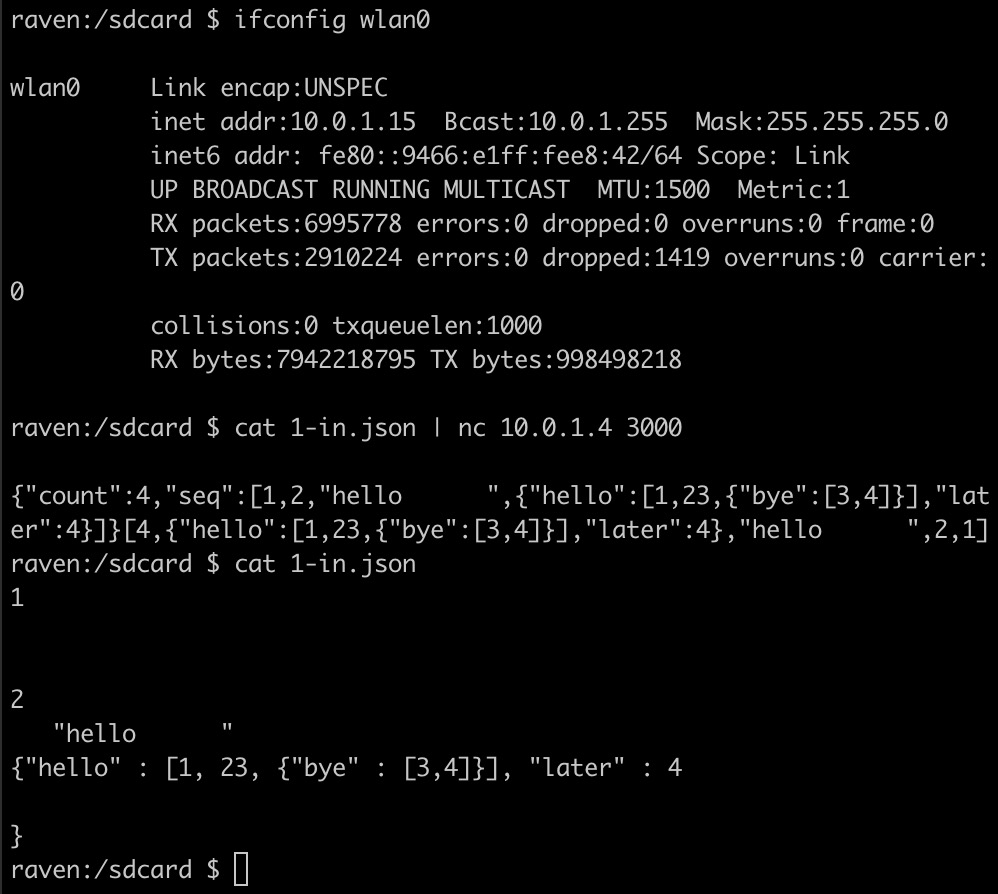
On a separate machine (here, my android mobile phone), you can then run the netcat command to connect to the first machine:
Here the second nc command sends JSON from my phone to
my computer, over the network. You can see from ifconfig that these two machines are indeed on different IP addresses. Note how the two
command lines specify the same port. I cated the JSON file so you can verify the input and output behavior. Typing these commands in two terminal
windows takes time, and the next nc command shows what happens when
you’re too slow or you haven’t launched xtcp yet.
Finally note that as soon as the server has done its work for its sole
client, it shuts down, after sending back an answer to the client. The
nc command displays the answer in the shell.
I use the phrase "integration test" here because you
are welcome to integrate the solution for C — JSON with some
additional code to solve this problem.
Test Create three integration tests for xtcp in the directory Test/.
A test always consists of inputs and expected outputs. For
this course, a test consists of two files: n-in.json, the input
file, and n-out.json, the expected output file, where n is
any positive integer between 1 and the demanded number of tests.
Memo Write two half–page summary memos: experience.pdf and assessment.pdf.
The first reports your experiences with your exploratory programming
tasks. The second one states your evaluation of the language based on
this experience.
Imagine you are writing to your manager’s manager.
This person is a technical manager—formerly a developer, now exclusively in management.
The purpose of the first memo is to provide a professional, subjective assessment of the “quality of life” of programming in this language, for someone who has not programmed in it before or experienced its ecosystem.
The second has a more straightforward purpose: to render a verdict on whether this language and its tooling are up to the task.
The overarching aim of this “sprint”—this series of preliminary assignments—was to give you enough rapid, hands-on contact with the language to make an informed judgment.
In a real software company, before committing to a multi-month project in an unfamiliar stack, a team will do exactly this kind of technical spike: short, bounded tasks designed to expose both strengths and pain points.
These assignments are our classroom version of that exercise.
They prepare you to recognize the fit-or misfit—between the language and the project’s demands, and they prepare you for the subsequent assignments in which you will actually undertake the larger build.
You must use an 11-point font (or larger). The white-space margins on your page
must be at least 1 inch wide on all sides.
See Technical Memos further details.
If your assessment leads you to the conclusion that you wish to
switch to a different language, complete the assignment as specified
and contact your instructor to make a 1-1 appointment
immediately.